

About Karishma Ads
Best Printing Services
Karishma Ads provides a range of timely, high-quality and cost-effective printing and document services using environmentally friendly materials. Our specialist staff can advise you on all your printing needs, from design to the finished product.
Testimonials
What Our Customers Say
FAQ
Printing Services Frequently Asked Questions
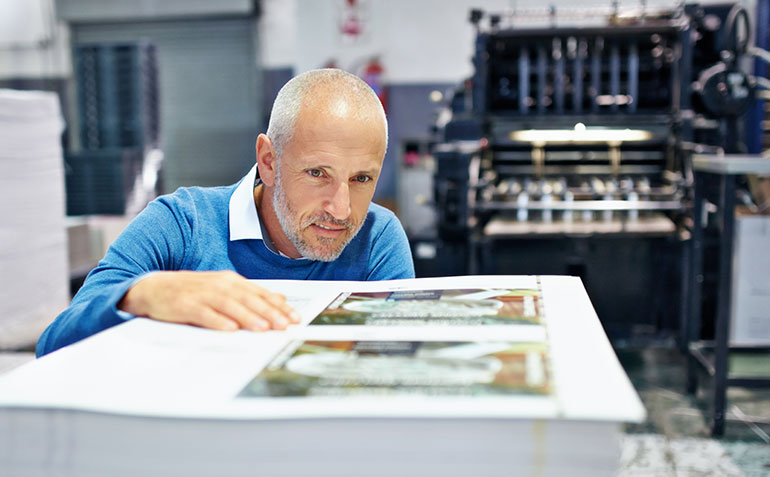
Karishma Ads Store offers a wide variety of printing and finishing services, including electronic file access (e.g., e-mails, CDs, USB drives)
Digital printing is a modern printing method that involves printing digital-based images directly onto a variety of media. Unlike traditional methods like offset printing, digital printing doesn’t require printing plates. Instead, it uses high-resolution digital files (like PDFs or images) and prints them directly onto the surface using inkjet or laser printers.
Key Features:
-
Direct-to-surface printing: No need for setup plates.
-
Fast turnaround: Ideal for short runs and on-demand printing.
-
Customization: Easy to personalize each print (e.g., unique names on flyers or labels).
-
Cost-effective for small quantities: No setup costs make it economical for low-volume jobs.
Common Uses:
-
Business cards
-
Brochures and flyers
-
Posters
-
Labels and packaging
-
Photo books
-
T-shirts and apparel (via direct-to-garment printing)
Want a quick comparison between digital and offset printing too?
- Once your digital print job is finished, there are typically a few ways you can receive it, depending on the printing service you’re using:
1. In-Store Pickup
- If you’re using a local print shop (like FedEx Office, Staples, or a neighborhood print center), you can usually just pick it up when it’s ready.
- Some places may notify you by email, text, or phone call when it’s done.
2. Delivery or Shipping
-
Many online printing services (like Vistaprint, Moo, or Shutterfly) offer home or business delivery.
-
You’ll choose a shipping method during checkout, ranging from standard to express.
-
Tracking info is often provided so you can follow your order’s progress.
3. Download Link (for digital products)
-
If you ordered something like digital invitations, posters, or marketing materials, the final product may just be a file download instead of a physical item.
-
You’ll get a link via email or your customer account.
Want help finding a good online printing service or setting up a file for print?
Yes, you can definitely get a price quote for your print job—most printing services offer this either online or in-store. Here’s how you can get one:
🖥️ Online Print Services
Most online printers have instant quote tools. You usually enter:
-
Type of item (flyer, business card, banner, etc.)
-
Size
-
Quantity
-
Paper type or material
-
Color or black & white
-
Finishing options (lamination, binding, folding, etc.)
-
Shipping method
-
🏢 Local Print Shops
You can:
-
Call or email them with your job specs
-
Visit in person and talk through your needs
-
Some have quote request forms on their websites
🔍 Want a Rough Estimate Right Now?
If you tell me:
-
What you’re printing
-
Quantity
-
Size
-
Paper/material type
-
Color or B&W
-
Any special finishes or binding
…I can give you a ballpark figure!
-
-
-
What it’s for (event, business, promo, etc.)
-
Size (standard or custom)
-
Style or vibe (minimal, bold, playful, corporate, etc.)
-
Colors and fonts (if you have any in mind)
-
Content (text, images, logos—you can upload them if needed)
Absolutely, I can help you design your print job from scratch or refine something you already have. Just tell me what you’re working on!
Here’s how I can help:
🎨 Design From Scratch
I can create a design for:
-
Business cards
-
Flyers or brochures
-
Posters
-
Invitations
-
Stickers or labels
-
Social media graphics
-
T-shirts, packaging, etc.
You just need to tell me:
-
✍️ Help With Existing Designs
If you already have something:
-
I can give feedback
-
Help with layout, spacing, or formatting
-
Fix resolution issues
-
Convert files to print-ready format (PDF with bleed, CMYK color, etc.)
👀 Want to Start Now?
Just tell me what you’re designing, and I’ll walk you through it or jump right into creating something for you. You can even upload an image or a rough draft if you’ve got one.
-